Avoid the weather mistake that costs drone pilots thousands.

Ground-level weather only tells part of the story. Wind and conditions at flight height can be completely different.

Can I Fly checks conditions at actual drone altitude and compares them against your drone's operating limits, helping you avoid risky launches before takeoff.
Most drone weather apps give you numbers.
Can I Fly tells you what they mean.

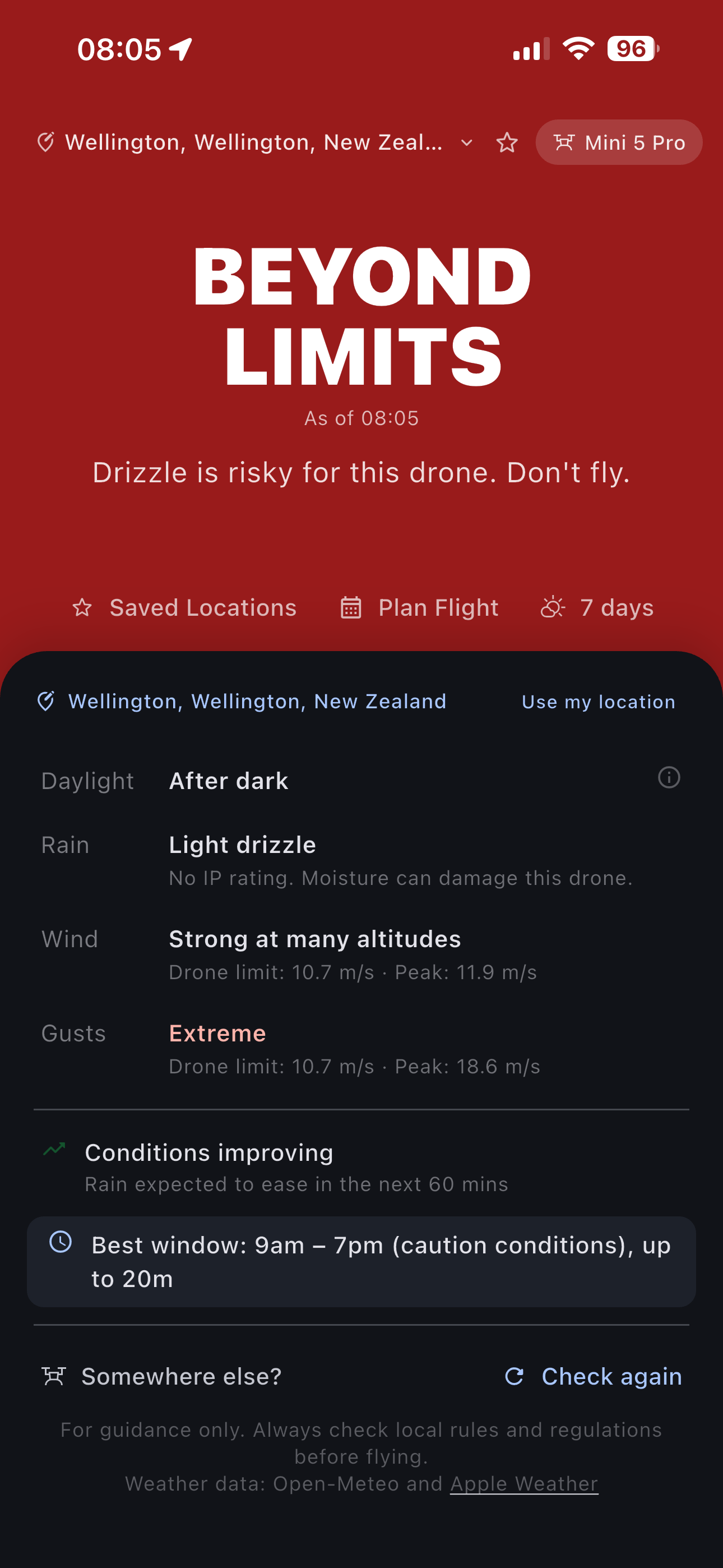
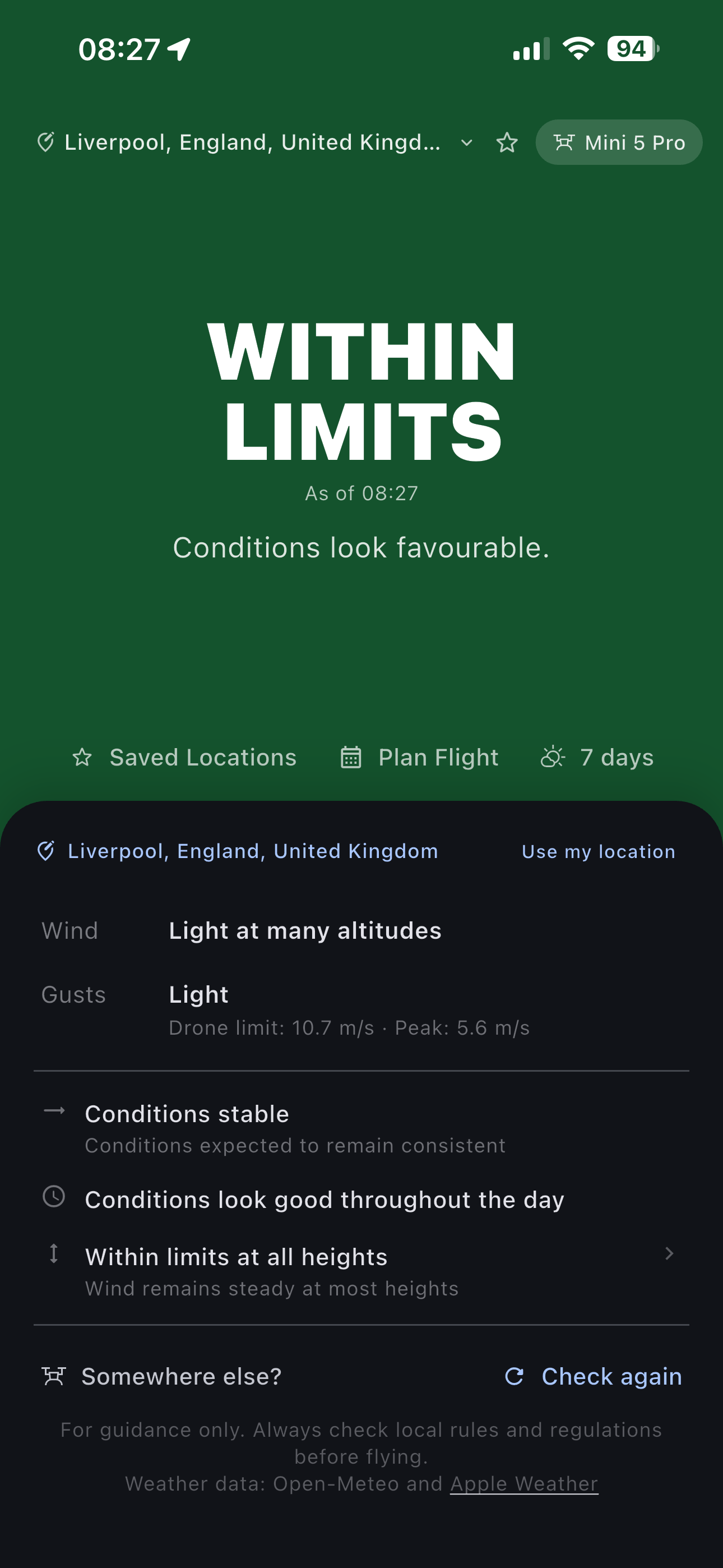
Most apps stop at weather data. Can I Fly tells you whether you're within limits, approaching them, or already past them. So you know exactly where you stand before you take off.

Flying conditions aren't simply safe or unsafe. Can I Fly helps you understand how close you are to the edge before takeoff.

Within Limits Approaching Limits Beyond Limits

Interpretation, not just data

Raw weather data, translated into a clear answer: within your drone's limits or not.

Built for your drone

Conditions evaluated against your drone's actual operating limits, not generic benchmarks.

Altitude changes everything

What you feel on the ground tells you very little about what's happening 100 metres up.

Built for the air,
not the ground

Most weather apps report surface conditions. Can I Fly models the conditions your drone will actually fly through.

Altitude-aware wind forecasts

Forecasts adjusted for real flight height, not just ground-level readings from a nearby weather station.

Know before you travel

Check conditions for your planned flight window before you pack the car. Avoid wasted journeys and bad surprises on site.

Gust analysis that matters

See how gust behaviour changes with altitude, so flight decisions are based on actual conditions aloft, not assumptions from the ground.

Reduce avoidable claims

By comparing forecast conditions against your drone's operating limits, Can I Fly helps reduce the kind of preventable incidents that lead to insurance claims.

Three steps, one less
thing to worry about

Step 01

Set your location and altitude

Tell Can I Fly where you plan to fly and how high. That's the forecast you'll get, not a generic surface reading for the nearest town.

Step 02

Pick your flight window

Choose a time slot that suits your session. Wind and weather are shown hour by hour so you can find the best window, or decide it's not the day.

Step 03

Fly informed

Head out knowing the actual picture at altitude. No nasty surprises, no second-guessing, no unnecessary calls on your policy.

Premium Features

Plan flights with more confidence

Built for people who fly regularly and want deeper insight into the conditions their drone will actually face.

Altitude wind profile

Every altitude your drone will reach

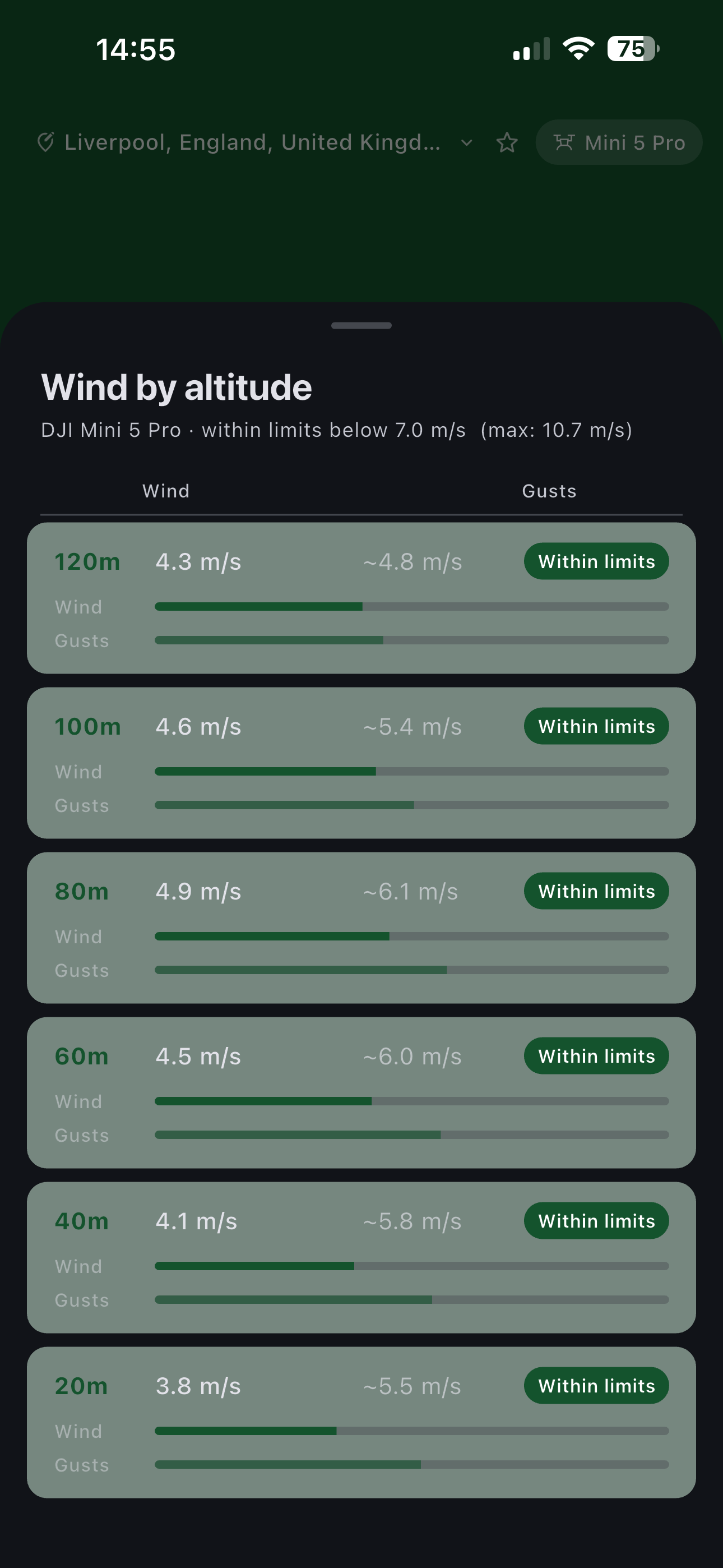
Wind speed and estimated gusts from 20m through to 120m, assessed against your drone's operating limits at each level. The ground reading tells you very little about what's waiting 80 metres up.

Wind and gust readings across altitude levels from 20m to 120m

Flight window planning

The right window, or an early stand-down

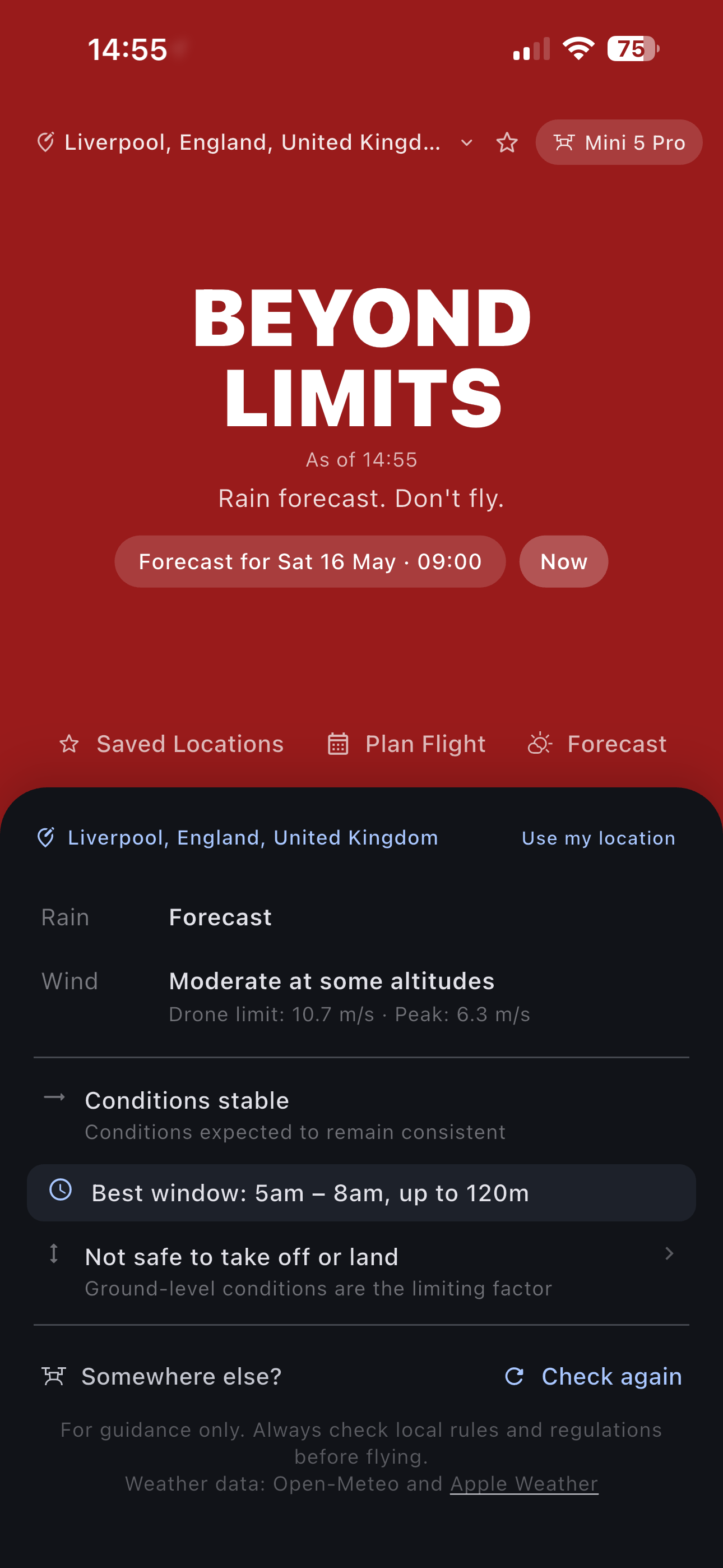
Can I Fly identifies your optimal flying window for the day, down to the hour. Leave knowing there's a good window waiting, or make the call before you've packed the car.

Flight planning screen showing best window and condition summary

Seven-day forecast

Know what the week holds before you plan

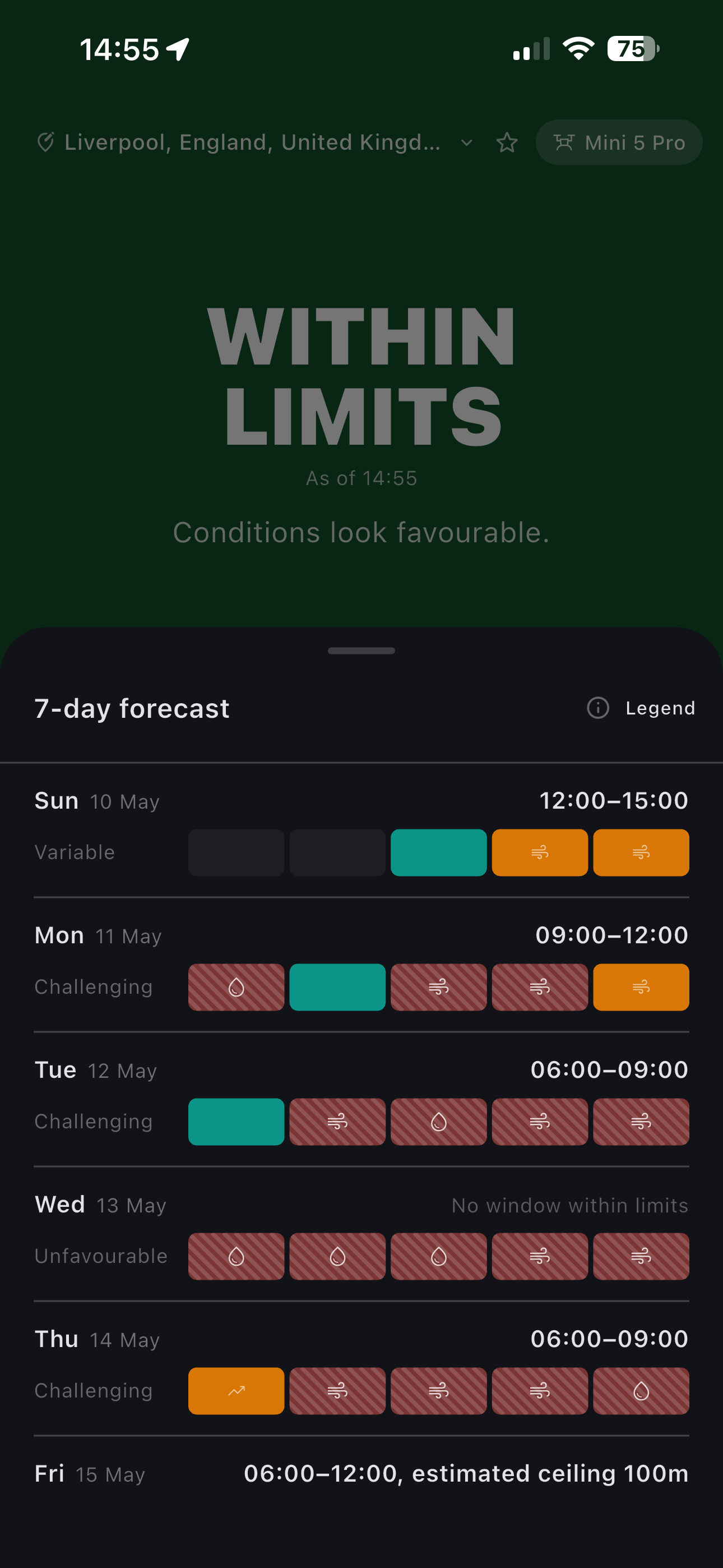
Conditions across seven days at a glance, colour-coded by outcome. Spot the good flying days immediately and rule out the difficult ones without working through the numbers.

Seven-day forecast showing colour-coded flying conditions across the week

Condition detail

Not just what, but why

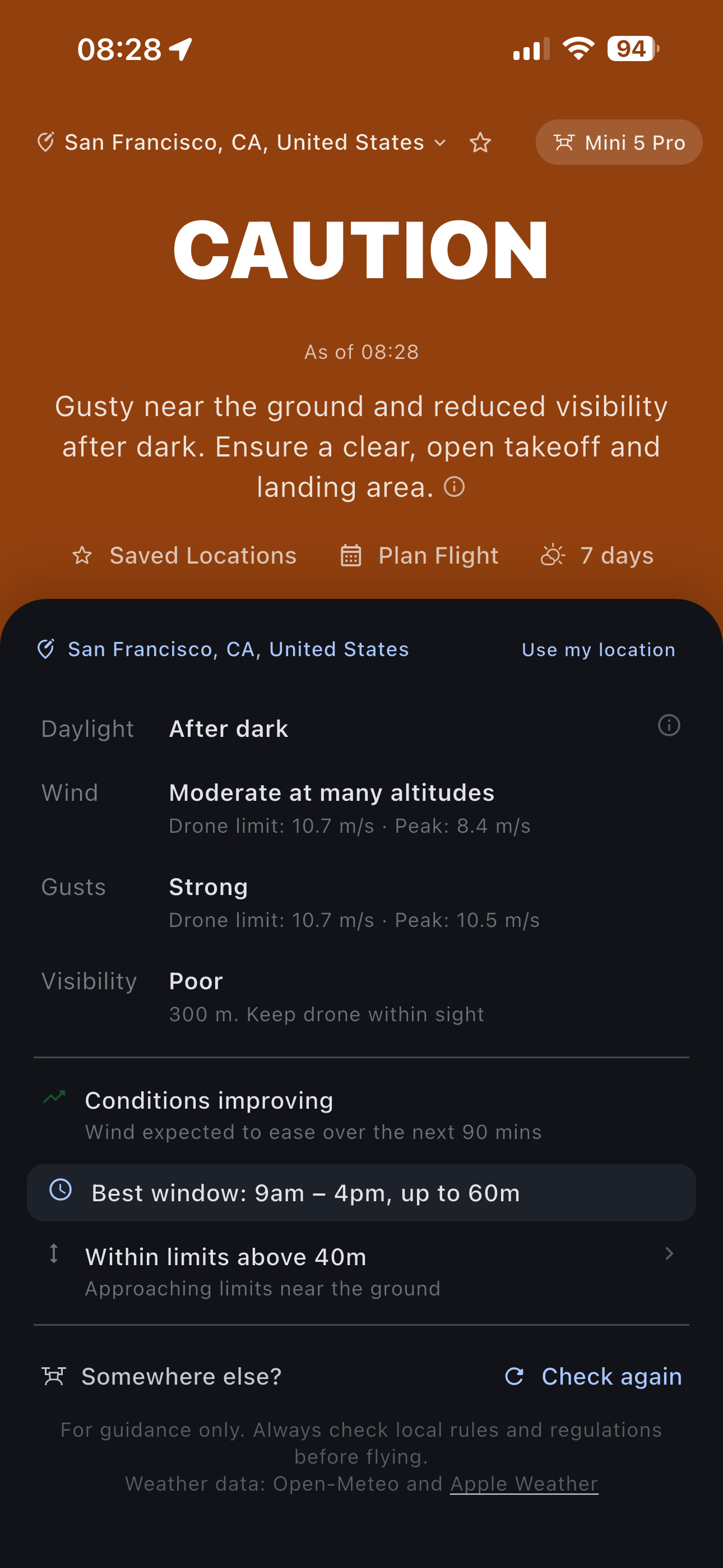
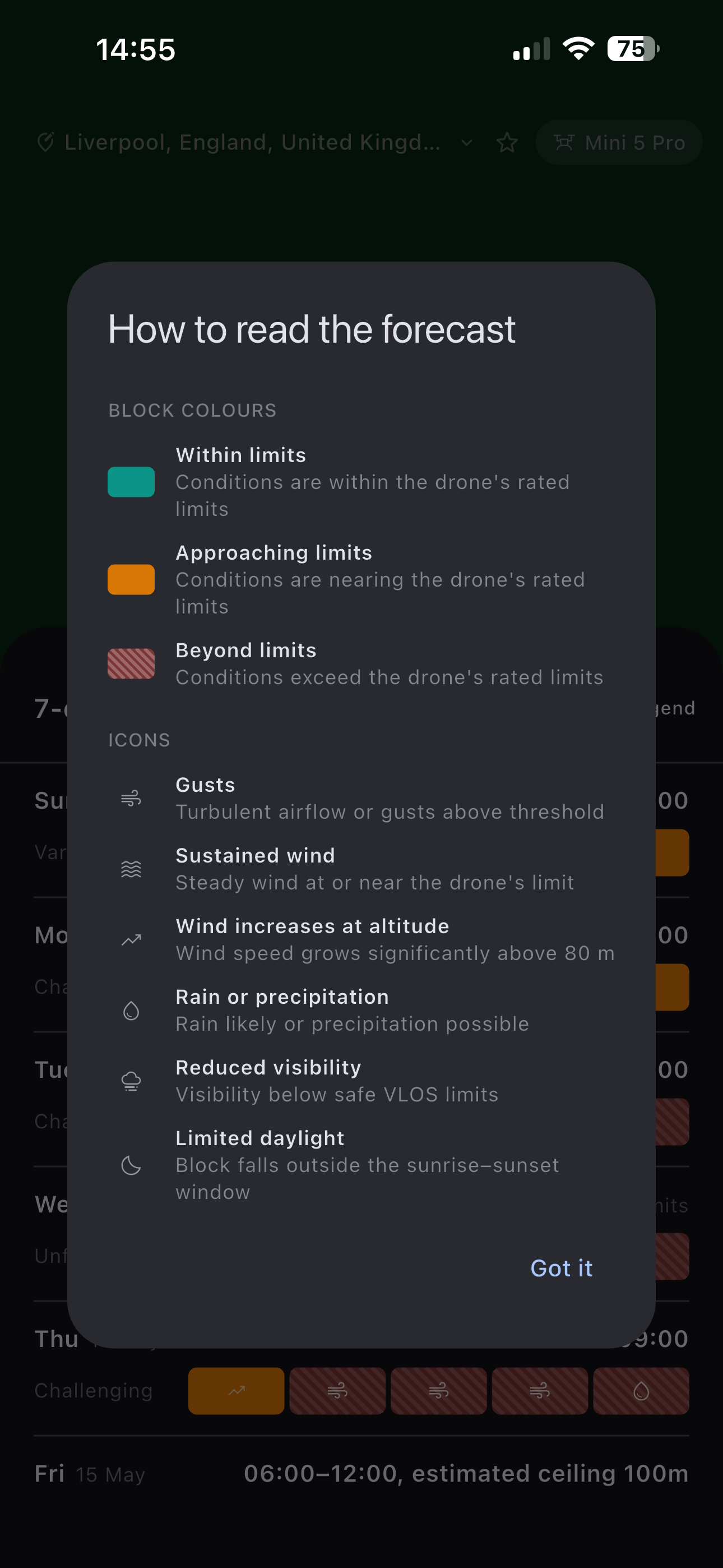
Every condition flag explained: gusts, sustained wind, altitude increases, precipitation, visibility, and daylight limits. So the outcome makes sense, not just the result.

Advanced condition detail screen explaining forecast flags and icons

Also included

Multiple saved locations
Best time to fly summaries
Push notifications for forecast changes Soon
Unsafe condition alerts Soon

Coming to iOS and Android

Can I Fly is finishing up. Join us on both platforms when we launch.